Keep an eye on
your agent burn.
Your agents are working hard. See what they spend,
how much is left, and when to slow down.
Free & open source · macOS 14+ · Apple Silicon & Intel
Bring your favorite agents.
 Codex
Codex Claude
 Cursor
 OpenCode
 Gemini
 Pi
Pi Droid
Droid OpenClaw
 Kimi
KimiA little glance.
A lot of clarity.
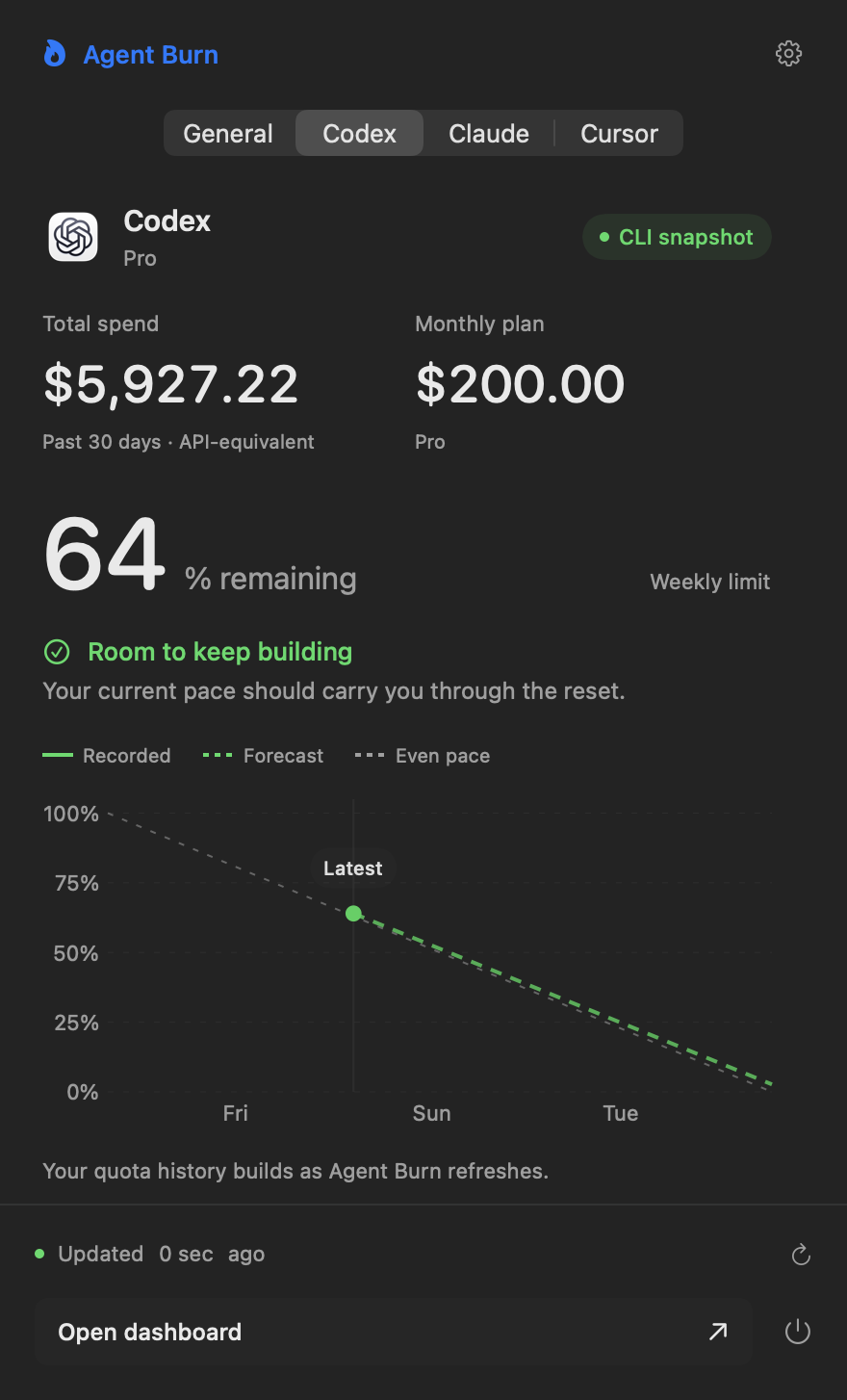
Check your remaining quota without leaving your work. Switch between agents, follow your burn rate, and see when your limits reset.
- Remaining quota and reset times
- Actual usage and projected pace
- One click to the full dashboard
Limits and forecasts depend on the data each provider exposes.
Your logs may disappear.
Your history shouldn't.
Agent Burn preserves daily spend and token totals on your Mac. Look back across weeks, months and all recorded time, even after old source logs are removed.
Daily totals, not your conversations or prompts. A small local archive that you can back up yourself.
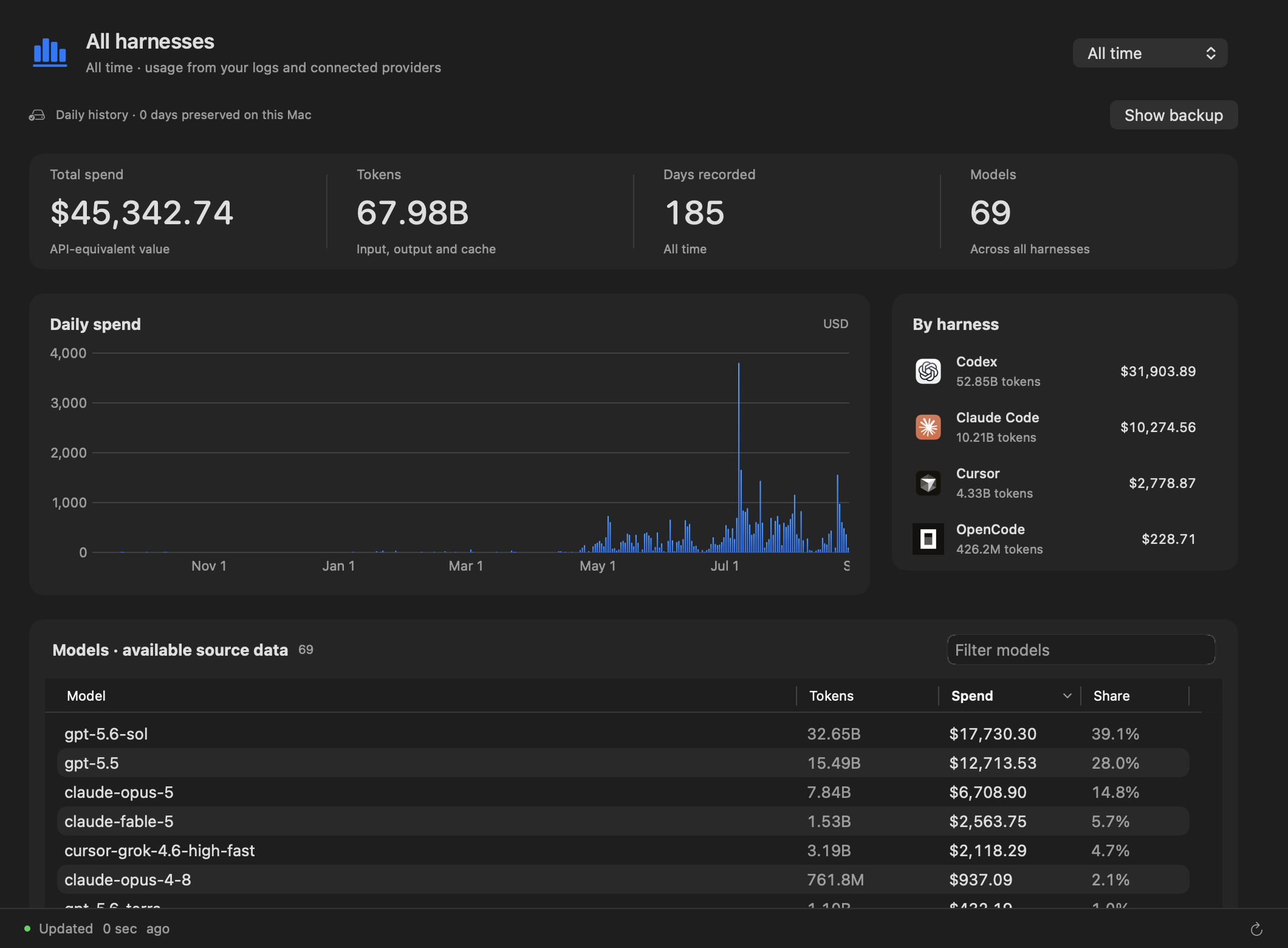
Compare providers in General, or explore models, tokens and available plan information in each agent's tab.
No Agent Burn account or analytics service. Live mode can contact your providers and pricing sources to retrieve usage.
Follow the spend.
Understand the value.
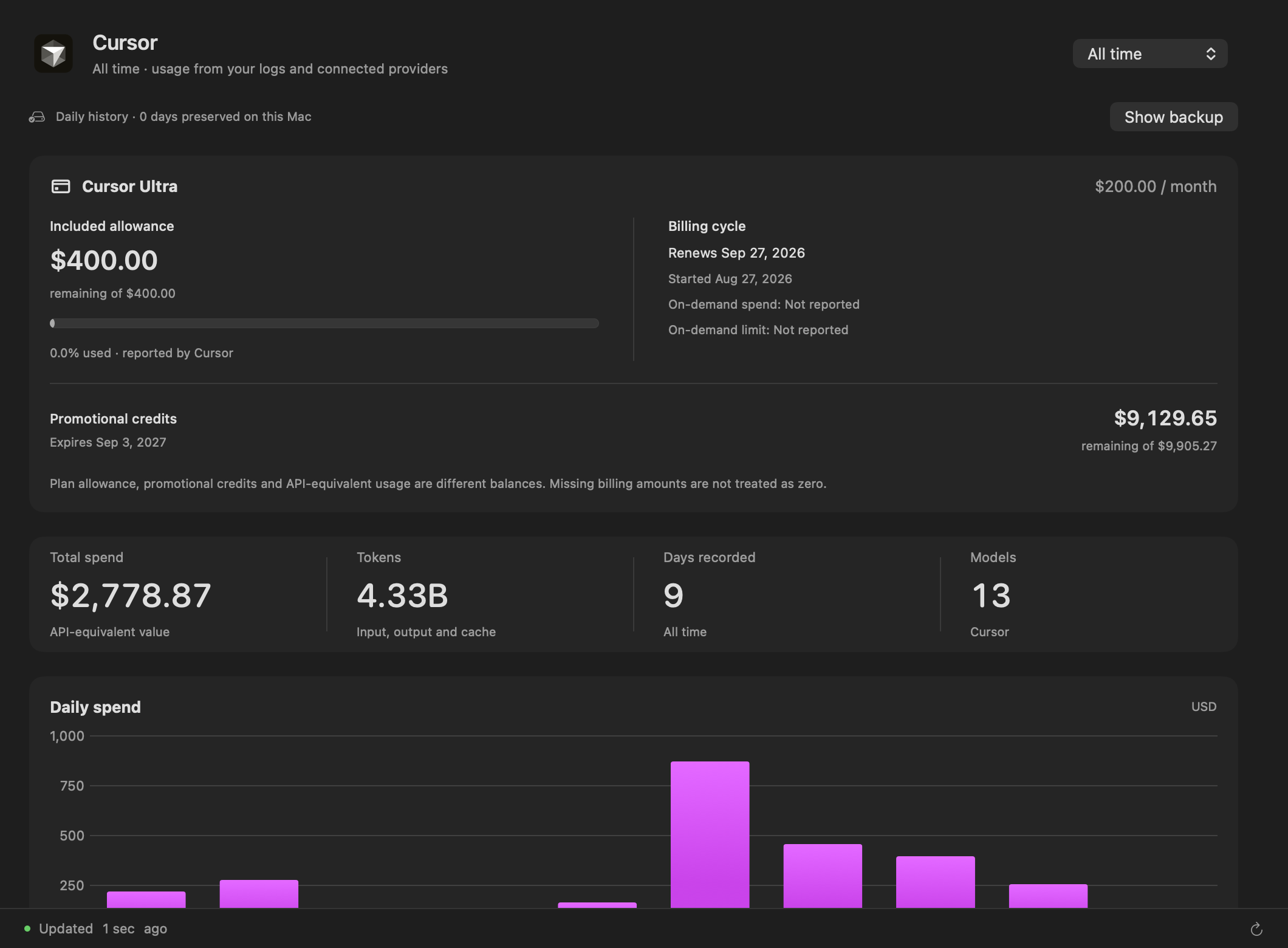
Compare API-equivalent usage with your subscription price. Explore the models behind your totals and, where available, included allowance and promotional credits.
API-equivalent spend estimates token value. It is not your invoice. Available detail varies by provider and retained history.
Same engine.
Your kind of interface.
The Rust CLI runs on macOS, Linux and Windows. Run it with npx, or install it once with npm.
No configuration needed for supported local logs.
The whole picture
See detected agents, token usage and API-equivalent value together.
Your subscription window
Inspect Codex limits, reset timing and subscription value.
Claude, in focus
Check Claude usage and the available subscription limits.
Ready for your scripts
Get structured data to build your own reports and workflows.
Small app. Open book.
Free to use. MIT licensed. Started from ccusage. Read the source, build it yourself,
or help make agent usage a little easier to understand.
Developer ID signed. Public download pending Apple notarization.
A few things to know.
How do I install the Mac app?+
Download the ZIP, unzip it, and move Agent Burn to Applications. Open it to access the dashboard and menu-bar view. The app includes the CLI; Node.js is not required for the Mac app.
Does it update automatically?+
The app checks for signed updates automatically. You can disable checks in Settings or choose Check for Updates from the Agent Burn menu. Sparkle guides you through installing an available update.
Is the spend shown my actual bill?+
No. API-equivalent value estimates what your token usage would cost at model API prices. Your subscription charge, allowance and credits are shown separately when available.
Can I recover every old session?+
Only data that still exists in logs or provider responses can be recovered. Once observed, daily totals are retained locally without expiration. Back up the metrics file to protect it if you lose your Mac.